










Long computer sessions can dry the lens surface and blur text by the late afternoon. Choosing lenses that keep a smooth, wettable surface and allow high oxygen flow helps vision stay clear through the workday. Finding the correct lens keeps the eye surface smooth, allows oxygen to reach the cornea, and suits your daily schedule.
What to Look for When You Shop
Look for these characteristics when selecting a contact lens:
- A moisture system that supports a smooth, wettable surface during long screen sessions.
- High oxygen transmission for breathable wear.
- A surface design that stays slick to reduce friction when you blink.
- A comfortable edge that moves smoothly with each blink.
- The correct modality, such as daily or monthly.
- Toric or multifocal variants if your prescription requires them.
Popular Picks for Long Computer Use
| Lens Name | Modality | Design Focus | Toric Available | Multifocal Available |
|---|---|---|---|---|
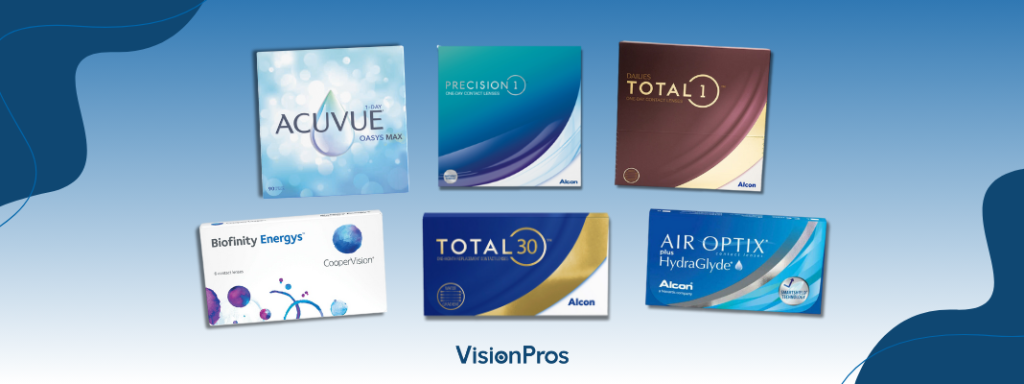
| ACUVUE OASYS 1-Day with HydraLuxe | Daily | Smooth surface feel through long use | Yes | No |
| ACUVUE OASYS MAX 1-Day | Daily | Upgraded comfort system for screen time | Yes | Yes |
| DAILIES Total1 | Daily | Water gradient surface that feels slick on blink | Yes | Yes |
| PRECISION1 | Daily | Comfort first daily with stable vision | Yes | No |
| MyDay Daily Disposable | Daily | Balanced breathability and soft feel | Yes | Yes |
| Clariti 1 Day | Daily | Value choice with silicone hydrogel breathability | Yes | Yes |
| Biofinity Energys | Monthly | Design that supports focusing comfort for digital use | No | No |
| Bausch and Lomb ULTRA | Monthly | Moisture retention through long wear | Yes | Yes |
| TOTAL30 | Monthly | Water gradient monthly with smooth surface | Yes | Yes |
| AIR OPTIX plus HydraGlyde | Monthly | Deposit resistance for consistent wear | Yes | Yes |
Comfort Tips for Desk and Device Use
Set the top of the display near eye level and keep it at arm’s length. Follow the 20-20-20 rule and look at something far every twenty minutes. Blink on purpose during heavy typing to refresh the lens surface.
A small desk humidifier helps in dry rooms and short breaks help eyes reset. Keep rewetting drops that are approved for contacts at your workspace and in your bag. Replace lenses on schedule and clean reusables as directed. Consistency pays off with fewer dry spots and clearer afternoon vision.
Daily lenses or Monthly lenses
Daily lenses feel fresh each morning and reduce buildup. They simplify travel with no case or solution needed. If you spend long hours on screens, a daily lens gives the smoothest surface.
Monthly lenses suit people who like a set routine and prefer fewer boxes on hand. If your day mixes screen time and meetings, a well-fitted reusable lens performs well when care is consistent.
Toric and Multifocal Designs
Astigmatism needs stable orientation to hold crisp lines on text. Toric lenses provide that stability and reduce ghosting on high-contrast edges. Your eye doctor adjusts the axis and power to keep text sharp on screen.
Presbyopia causes near blur, making small fonts difficult. Multifocal lenses help you move focus from a browser to a phone without swapping glasses. Expect a short adaptation period.
Blue Light Features and Screen Habits
Blue light features on lenses do not cure eye strain. Screen distance, font size, ambient light, and a smooth lens surface do more for comfort. If evening light bothers you, use device settings that reduce short wavelength output. Keep reflections down with a matte display filter.
Buying in Canada
Check CAD pricing by pack size and note the cost per lens. Larger packs often lower the price per wear and reduce trips to reorder. Look at shipping thresholds, delivery timelines, and returns.
Many Canadian benefits plans support contact lens purchases. Some brands run seasonal rebates that improve net cost. Keep a spare box at home so you can replace lenses on time and avoid stretching wear days.
When to Book an Eye Exam
If dryness or blur does not improve with lens or habit changes, book an exam. You may need a small prescription tweak, a different material, or an update to your care system. Your clinician can also check for meibomian gland issues that affect tear quality. Small fixes can restore comfort.
Upgrade Your Comfort With Vision Pros
Digital eye strain does not have to derail your workday. Small changes often work best. Start with screen distance, blink breaks, and better room humidity. Pair those habits with a lens that suits your eyes and schedule.
If you are ready for better comfort at the computer, Vision Pros carries a wide range of moisture focused lenses, from value Clariti to premium DAILIES TOTAL1. Choose the lens that fits your needs at Vision Pros Canada today.
FAQs
1. Do contact lenses cause digital eye strain?
No, eye strain comes from staring without blinking. This lack of blinking causes your tear film to evaporate, drying the lens. Use the 20-20-20 rule and blink on purpose.
2. Which lens materials are best for long screen use?
Silicone hydrogel materials are generally best. They allow high oxygen flow to the cornea. Choose lenses with advanced moisture systems to keep the surface slick.
3. Is it safe to use rewetting drops with contacts?
Yes, use rewetting drops approved for contacts. These rehydrate the lens surface. Avoid standard eye drops or redness-reducing drops unless advised by your eye doctor.
4. How does my prescription affect comfort on a computer?
If your prescription is slightly off, your eyes must strain to focus on screen text. This causes tiredness and dryness. Toric and multifocal designs provide the clearest, most stable vision, reducing eye effort.